In today’s fast-paced world, keeping your home spotless can feel like an endless chore. Imagine reclaiming precious hours previously spent pushing a vacuum, letting advanced technology handle the heavy lifting. The Wyze Robot Vacuum promises precisely that: an intelligent, efficient cleaning solution at an impressively accessible price point, bringing premium features often found in much more expensive models right to your doorstep. This comprehensive guide will explore everything you need to know about the Wyze Robot Vacuum, from its core features and cleaning performance to maintenance tips and how it stacks up against the competition, helping you decide if it’s the perfect addition to your smart home.
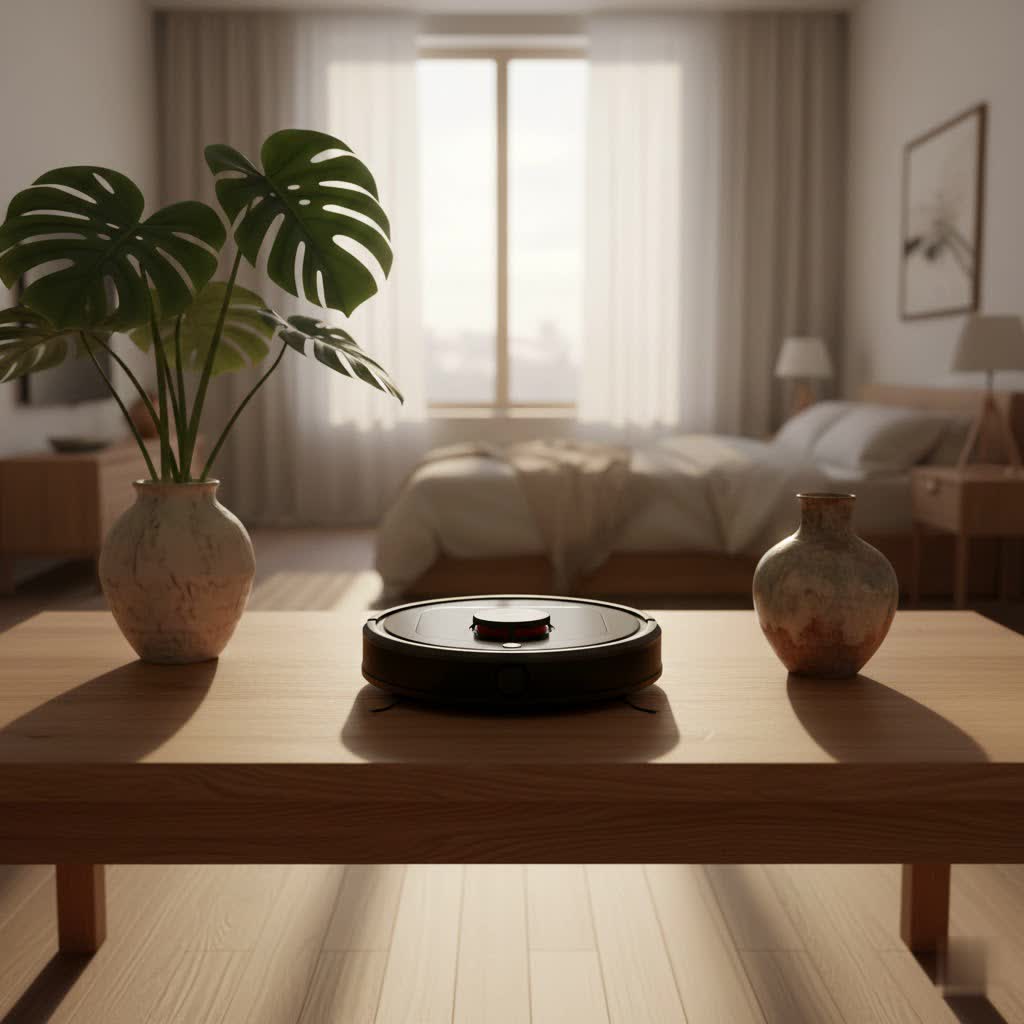
What is a Robot Vacuum? Why Do You Need One?
A robot vacuum is an autonomous cleaning device designed to navigate your home and pick up dust, dirt, and debris without manual intervention. These smart appliances offer unparalleled convenience, freeing up your time and energy for more important activities. Their primary function is to maintain cleanliness regularly, preventing dirt buildup and ensuring a consistently tidy living space.
The benefits of integrating a robot vacuum into your home extend far beyond mere convenience. They significantly reduce the physical effort and time associated with traditional vacuuming, allowing for daily cleaning routines that might otherwise be impractical. For those with busy schedules, physical limitations, or simply a desire for a cleaner home with minimal fuss, a robot vacuum is an invaluable asset. When considering a purchase, key factors include your budget, the size and layout of your home, your floor types, and the specific features that matter most to your lifestyle.
Popular Robot Vacuum Types on the Market
The robot vacuum market offers a diverse range of models, each with distinct characteristics and functionalities. They can be broadly categorized by their navigation technology, cleaning capabilities, and additional smart features. Basic models might use random navigation, while more advanced units like the Wyze Robot Vacuum leverage sophisticated LiDAR (Light Detection and Ranging) mapping for efficient, systematic cleaning paths.
Some robot vacuums come with advanced features such as automatic dirt disposal, emptying their dustbins into a larger container in their charging dock. This feature, while incredibly convenient, often comes with a higher price tag. Other popular types are hybrid models that combine vacuuming with mopping capabilities, offering a two-in-one cleaning solution for hard floors. Additionally, specific designs cater to homes with pets, featuring stronger suction, specialized brushrolls to handle pet hair, and advanced filtration systems. Understanding these variations helps highlight where a particular model, like the Wyze, fits into the broader landscape, especially given its focus on smart navigation at a budget-friendly cost without offering features like self-emptying or integrated mopping.
Wyze Robot Vacuum: Features, Performance & Design
The Wyze Robot Vacuum distinguishes itself by offering a robust suite of smart features typically reserved for more expensive models, all while maintaining an attractive price point. It’s built to deliver efficient cleaning, particularly for hard surfaces, making daily maintenance a breeze.
LIDAR Mapping & Navigation
|
Our Picks for the Best Robot Vacuum in 2026
As an Amazon Associate I earn from qualifying purchases.
|
||
| Num | Product | Action |
|---|---|---|
| 1 | ILIFE A30 Pro Robot Vacuum and Mop, Self Emptying Station for 60 Days, 5000Pa Suction, LiDAR Navigation, No-Go Zones, 2.4G WiFi/App/Alexa/Remote Control, Roller Brush for Carpet, Hard Floors, 110V |

|
| 2 | iRobot Roomba 105 Vac Robot Vacuum - Easy to use, Intense Power-Lifting Suction, LiDAR Navigation, Multi-Surface Cleaning, Cleans in Neat Rows, Self-Charging |
|
| 3 | Robot Vacuum and Mop Combo,Equipped with Wireless Touch Button, Vacuum Robot Vacuum Cleaner and mop Combination, Silent, Advanced Obstacle Avoidance Suitable for Home Tiles Robot Vacuum and (White) |
|
| 4 | roborock Saros 10R Robot Vacuum and Mop, 22,000 Pa Suction, Zero-Tangling, 3.14’’ Ultra Slim, FlexiArm Riser Technology for Carpet & Floor, Corner & Edge Cleaning, Self-Emptying, Hot Air Drying, Black |
|
| 5 | Tikom Robot Vacuum and Mop Combo, 5000Pa Robotic Vacuum Cleaner, 150 Min Max, App & Remote Control, Ideal for Hard Floor, Carpet, Pet Hair, Self-Charge(G8000 Max) |
|
| 6 | Tikom Robot Vacuum and Mop, 6000Pa Robotic Vacuum Cleaner with Self-Emptying Base, 90 Days Capacity, LiDAR Navigation, Home Mapping, Ideal for Pet Hair, Hard Floors, Carpet (L8000 Plus) |
|
| 7 | iRobot Roomba 105 Vac Robot Vacuum with AutoEmpty Dock - Self-Empties for 75 Days, Easy to use, Intense Power-Lifting Suction, LiDAR Navigation, Multi-Surface Cleaning, Cleans in Neat Rows |
|
| 8 | eufy Robot Vacuum E25, HydroJet System with Roller Mop, 20,000 Pa Turbo Suction, All-in-One Robot Vacuum and Mop Combo, Edge-to-Corner Cleaning, Zero-Tangle Design, AI Obstacle Avoidance (Upgraded) |
|
| 9 | eufy C10 Robot Vacuum Self Emptying, 8 Weeks Hands Free, Advanced Smart Mapping with LiDAR Navigation, 2.85-Inch Slim Design, Powerful Suction, Edge Expansion Brush for Pet Hair, Carpet Detection |
|
| 10 | eufy Robot Vacuum 11S MAX, Super Thin, Powerful Suction, Quiet, Self-Charging Robotic Vacuum Cleaner, Cleans Hard Floors to Medium-Pile Carpets, Black |
|
At the heart of the Wyze Robot Vacuum’s intelligence is its advanced LiDAR navigation system. This technology allows the vacuum to precisely map your home in real-time, creating an accurate floor plan within the Wyze app. Once mapped, it plans the most efficient cleaning route, moving in systematic straight lines rather than haphazardly bouncing around. Users can leverage the app to set “no-go zones” and “virtual walls,” preventing the vacuum from entering specific areas, like dense cord clusters or delicate pet feeding stations.
Cleaning Performance
Equipped with 2100 Pa of suction power, the Wyze Robot Vacuum offers strong cleaning capabilities across various surfaces. It performs exceptionally well on bare floors, including hardwood, tile, and vinyl, effectively picking up medium and large debris. For carpets, its performance is decent on high-pile types, but it may struggle with fine debris like sugar or deeply embedded pet hair on low-pile carpets. The vacuum features three adjustable suction modes—Quiet, Standard, and Strong—allowing users to balance cleaning intensity with noise levels and battery life.
Design & Build
The Wyze Robot Vacuum has a clean, minimalist design with a raised LiDAR sensor on top, giving it a height of 3.7 inches. It features a generously sized dustbin that is easy to access and empty from the top. For cleaning, it utilizes one main brush and a single edge brush, which sweeps debris towards the center for efficient suction. A built-in HEPA filter helps capture fine dust and allergens, improving air quality as it cleans.
App Control & Automation
The intuitive Wyze app unlocks the full potential of this robot vacuum. From the app, you can view and edit the detailed home map, customize cleaning schedules, define no-go zones, and adjust suction levels on the fly. The app also tracks the lifespan of accessories like the main brush, side brush, and HEPA filter, notifying you when replacements are due, making maintenance simple.
Battery Life
The Wyze Robot Vacuum boasts a battery life of up to 110 minutes on a single charge. Should it run low on power before completing a cleaning job, it intelligently returns to its charging station, recharges, and then resumes cleaning exactly where it left off, ensuring your entire home gets cleaned.
Pros and Cons
Pros:
- Budget-Friendly: Offers high-end features at a significantly lower cost.
- Precise LIDAR Mapping: Creates accurate, editable maps for efficient navigation.
- Advanced App Control: Features like no-go zones, virtual walls, and room-specific cleaning.
- Efficient Cleaning Paths: Cleans systematically in straight lines.
- Good Hard Floor Performance: Excellent at picking up debris on solid surfaces.
- HEPA Filter: Traps allergens for cleaner air.
- Quiet Operation: Generally not excessively noisy, even on higher suction settings.
Cons:
- No Self-Emptying Dock: Requires manual dustbin emptying.
- No Mopping Functionality: A pure vacuum, not a hybrid cleaner.
- Limited Obstacle Avoidance: Struggles to detect and avoid very small items in real-time.
- Carpet Performance: Less effective on fine debris and embedded pet hair in carpets.
- Occasional Getting Stuck: Can sometimes get wedged under specific furniture.
- Initial Lack of Voice Assistant Integration: Older models lacked full Alexa/Google Assistant support (though some newer reviews mention Alexa).
Detailed Comparison: Wyze Robot Vacuum vs. Competitors
To truly appreciate the Wyze Robot Vacuum, it’s helpful to see how it stacks up against other popular models in the market. While it shines in value, higher-end competitors often offer additional conveniences.
| Brand | Model | Price (USD) | Suction (Pa) | Runtime (Min) | Key Features |
|---|---|---|---|---|---|
| Wyze | Robot Vacuum | ~$250-300 | 2100 | 110 | LiDAR mapping, App control, No-go zones |
| iRobot | Roomba i7+ | ~$500-700 | 1700 (approx.) | 75 | Self-emptying dock, Imprint Smart Mapping, Dirt Detect |
| Roborock | S7 MaxV | ~$800-1000 | 5100 | 180 | LiDAR, Camera (obstacle avoidance), Advanced Sonic Mopping, Self-emptying dock compatible |
The Wyze Robot Vacuum clearly stands out for its aggressive pricing while still delivering premium navigation technology like LiDAR mapping. Compared to a model like the iRobot Roomba i7+, the Wyze offers comparable, or in some cases, superior debris pickup performance and significantly better battery life, all at a fraction of the cost. However, the Roomba i7+ gains a major edge with its self-emptying base, a convenience feature that many users find indispensable.
When looking at a top-tier model like the Roborock S7 MaxV, the differences become more pronounced. The Roborock offers vastly superior suction power, an advanced mopping system, a front-facing camera for real-time obstacle avoidance, and compatibility with sophisticated self-emptying and self-refilling docks. These features make the Roborock a truly hands-off, all-in-one cleaning solution, but they come with a hefty price tag. The Wyze, therefore, positions itself as an excellent choice for those who prioritize intelligent navigation and effective daily cleaning on hard floors without needing the extra luxuries of mopping or self-emptying, thereby offering exceptional value for money.
How to Choose the Right Robot Vacuum for Your Needs
Selecting the perfect robot vacuum involves weighing various factors against your specific household requirements and budget. The “best” robot vacuum isn’t universal; it’s the one that best fits your lifestyle.
Budget: Your budget is often the primary deciding factor. If you’re looking for advanced navigation and app features without breaking the bank, the Wyze Robot Vacuum is a compelling choice. Higher budgets open up options for self-emptying, mopping, and more sophisticated obstacle avoidance.
Home Size & Layout: For larger homes or those with complex layouts, a robot vacuum with LiDAR mapping, like the Wyze, is highly beneficial. Its ability to create and save maps ensures systematic cleaning and allows for features like room-specific cleaning and virtual boundaries.
Floor Types: Consider the dominant floor types in your home. The Wyze Robot Vacuum excels on hard floors (hardwood, tile, vinyl). If your home has a lot of low-pile carpet and fine debris, you might find its performance less robust, and a vacuum with stronger carpet-specific suction might be more suitable.
Pets: Homes with pets have unique cleaning challenges. While the Wyze includes a HEPA filter (great for allergens) and is relatively quiet, its performance on deeply embedded pet hair in carpets can be a limitation. If heavy pet shedding on carpets is a major concern, you might need a model with specialized brushrolls or higher suction tailored for pet hair.
Desired Features: Prioritize the features that truly matter to you. If a completely hands-off experience is paramount, you might consider models with self-emptying dustbins. For spotless hard floors, a mopping function could be essential. If smart home integration with voice assistants is a must, confirm compatibility before purchase. The Wyze shines in core smart navigation and basic app control but lacks some of these premium additions.
“Investing in a robot vacuum, especially one that fits your budget and covers your primary cleaning needs like the Wyze, is a game-changer for daily household maintenance.” – Sarah L., Robot Vacuum Enthusiast
Tips for Using and Maintaining Your Wyze Robot Vacuum to Extend Its Lifespan
Proper usage and regular maintenance are crucial for maximizing the lifespan and performance of your Wyze Robot Vacuum. A little care goes a long way in ensuring your device continues to clean effectively for years to come.
Regular Cleaning:
- Dustbin: Empty the dustbin after every few cleaning cycles, or as needed, to prevent suction loss and maintain hygiene. It’s designed for easy removal and emptying.
- Brushes: Periodically remove and clean the main brushroll and side brush. Pet hair and long strands can get tangled, reducing cleaning efficiency. Many models, including the Wyze, have brushrolls that are easy to detach for cleaning.
- Sensors: Gently wipe the LiDAR sensor and other cliff/collision sensors with a dry, soft cloth. Blocked sensors can impair navigation and lead to the vacuum getting stuck or missing areas.
Accessory Replacement:
The Wyze app is helpful here, tracking the remaining usage time for key accessories.
- HEPA Filter: Replace the HEPA filter every 1-3 months, depending on usage and household conditions (e.g., pets, allergies). A clogged filter reduces suction and can diminish air quality.
- Side Brush and Main Brush: These wear out over time. Replace them when you notice visible wear, damage, or a decrease in cleaning performance, typically every 3-6 months.
Battery Care:
- Charge Properly: Always allow the robot vacuum to fully charge when not in use. Avoid letting the battery completely drain, as this can reduce its overall lifespan.
- Storage: If storing the vacuum for an extended period, ensure it’s fully charged, then turn it off and store it in a cool, dry place.
Troubleshooting Common Issues:
- Setup/Connectivity: If you encounter issues connecting to Wi-Fi, ensure your phone is on a 2.4 GHz network during setup, that the Wyze app has necessary location and local network permissions, and that the vacuum is within 10 feet of the router. A factory reset can often resolve persistent connectivity problems.
- Getting Stuck: Before cleaning, declutter floors of loose cables, small toys, or clothes that could entangle the brushes. Use the app’s no-go zones for areas where the vacuum frequently gets stuck due to low clearance.
- Mapping Issues: If the map seems inaccurate or isn’t saving, try resetting the map in the app and allowing the vacuum to remap your home. Ensure sensors are clean.
Conclusion
The Wyze Robot Vacuum presents a compelling proposition for anyone seeking an intelligent and efficient cleaning solution without the premium price tag. Its LiDAR-powered navigation, precise mapping capabilities, and intuitive app control provide a smart cleaning experience typically found in much more expensive models. While it excels on hard floors and offers strong suction, it’s important to consider its limitations, such as the absence of self-emptying or mopping functions and its performance on deeply embedded carpet debris.
Ultimately, the Wyze Robot Vacuum is an excellent choice for individuals and families who prioritize value, smart navigation, and effective daily maintenance on predominantly hard surfaces. If convenience, advanced mapping, and smart features are your top priorities within a reasonable budget, the Wyze Robot Vacuum is certainly worth considering. Could this be the smart cleaning companion your home has been waiting for?
Frequently Asked Questions
Is the Wyze Robot Vacuum good for pet hair?
The Wyze Robot Vacuum can pick up pet hair effectively on hard floors, and it includes a HEPA filter to trap allergens. However, it may struggle with large quantities of deeply embedded pet hair in carpets, so a secondary vacuum might be needed for very hairy carpets.
Does the Wyze Robot Vacuum have a self-emptying feature?
No, the Wyze Robot Vacuum does not come with a self-emptying docking station. Users will need to manually empty the dustbin after cleaning sessions.
Can the Wyze Robot Vacuum mop floors?
The Wyze Robot Vacuum is designed solely for vacuuming. It does not have a mopping function or a water tank for wet cleaning.
How does the Wyze Robot Vacuum map my home?
The Wyze Robot Vacuum uses LiDAR (Light Detection and Ranging) technology to scan and create a precise, editable map of your home. This map allows for efficient, systematic cleaning paths and enables features like no-go zones and room-specific cleaning via the Wyze app.
What kind of floors can the Wyze Robot Vacuum clean?
The Wyze Robot Vacuum is capable of cleaning multiple surface types, including hardwood, tile, and vinyl hard floors, as well as low-pile and high-pile carpets. It performs best on hard surfaces.
