In our fast-paced world, the dream of a pristine home without the daily chore of vacuuming is becoming a reality, thanks to the remarkable advancements in robot vacuum technology. As an experienced technician who has witnessed the evolution of these intelligent cleaning devices, I understand the nuances that differentiate a good robot vacuum from a truly exceptional one. While many brands vie for supremacy, Dyson, a name synonymous with powerful suction and innovative engineering, has also thrown its hat into the ring. But does a Dyson robot vacuum truly live up to the brand’s legendary reputation? This comprehensive guide will explore Dyson’s unique approach to automated cleaning, weigh its strengths and weaknesses, and help you determine if it’s the right choice for your home.
What is a Robot Vacuum? Why Do You Need One?
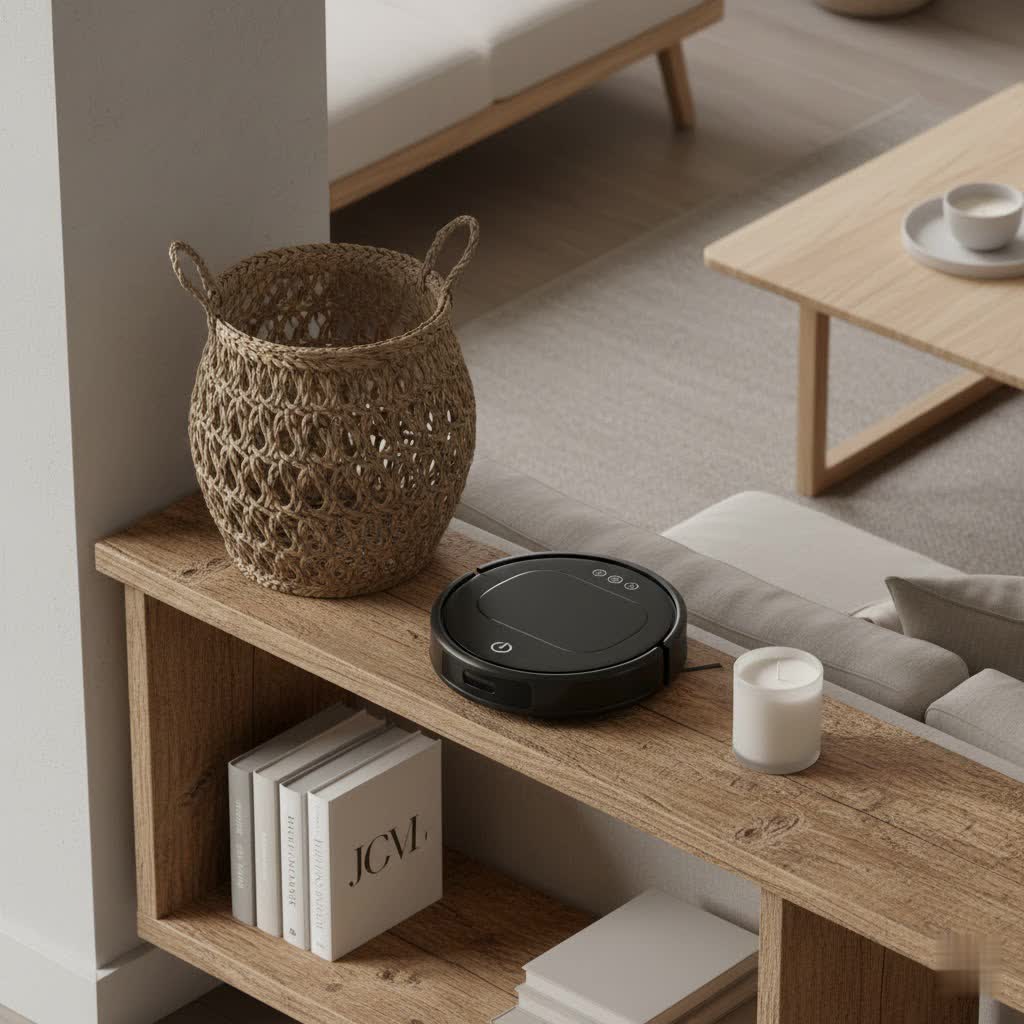
A robot vacuum is an autonomous cleaning device designed to navigate your home, collecting dust, dirt, and debris without direct human intervention. Equipped with sensors, mapping technology, and powerful suction, these devices offer an unparalleled level of convenience in modern home maintenance.
The primary benefit of integrating a robot vacuum into your household is the significant time and effort it saves. Instead of manually vacuuming, you can schedule your robot to clean regularly, maintaining a consistent level of cleanliness throughout the week. This is particularly advantageous for busy individuals, those with mobility issues, or anyone seeking to reclaim precious hours from their cleaning routine. Furthermore, many models, including Dyson’s, feature advanced filtration systems that capture microscopic particles, contributing to improved indoor air quality.
The Dyson Robot Vacuum: A Deep Dive into Innovation
Dyson’s entry into the robot vacuum market reflects its unwavering commitment to pushing the boundaries of cleaning technology. While earlier models like the 360 Eye and 360 Heurist laid the groundwork, the latest iteration, the Dyson 360 Vis Nav, represents the pinnacle of their robotic engineering. Dyson doesn’t merely produce a robot vacuum; it integrates its core vacuuming expertise into an automated platform.
At the heart of the Dyson 360 Vis Nav is the revolutionary Dyson Hyperdymium motor, delivering an astonishing 65 Air Watts of suction power and 22,000 Pascals of pressure. This makes it one of the most powerful robot vacuums currently available, designed to tackle deeply embedded dirt and microscopic dust. The machine utilizes a sophisticated 360-degree vision system to navigate, allowing it to “see” its surroundings and map your home effectively. For comprehensive cleaning, it features a full-width triple-action brush bar that reaches edge-to-edge, complemented by an automatic extending side duct that redirects suction to capture debris right up against walls and into corners. To further enhance home hygiene, the 360 Vis Nav boasts a whole-machine HEPA filtration system, trapping 99.97% of particles as small as 0.1 microns, including allergens and pet dander.
Dyson 360 Vis Nav: Pros and Cons
Like any advanced piece of technology, the Dyson 360 Vis Nav comes with its own set of advantages and limitations. Understanding these can help you make an informed decision.
Pros:
- Unrivaled Suction Power: The 360 Vis Nav offers exceptional suction, making it incredibly effective at deep cleaning and removing stubborn dirt from both hard floors and carpets. Its ability to extract fine dust and particles is often superior to many competitors.
- Excellent Deep Cleaning: This robot vacuum excels at picking up small debris and deeply embedded dirt, living up to Dyson’s reputation for powerful cleaning performance.
- Advanced Filtration: With its whole-machine HEPA filtration, it’s an excellent choice for allergy sufferers, capturing a vast array of microscopic allergens and pet dander.
- Innovative Edge Cleaning: The extending side duct is a clever design feature that helps improve edge and corner cleaning, an area where many robot vacuums typically struggle.
- User-Friendly Dustbin: The dustbin is designed for easy, one-handed emptying, reducing contact with collected debris.
Cons:
- Navigation Challenges: Despite its 360-degree vision, the 360 Vis Nav has received criticism for its navigation and pathing, sometimes leaving uncleaned patches or struggling with dark areas and complex layouts. Its D-shape, while theoretically good for corners, doesn’t always translate into perfect corner cleaning due to software limitations.
- No Self-Emptying Dustbin: A significant drawback, especially given its premium price point, is the absence of a self-emptying base. Users must manually empty the relatively small dustbin frequently, which diminishes the “hands-free” appeal of a robot vacuum.
- No Mopping Function: Unlike many high-end competitors that offer 2-in-1 vacuuming and mopping, the Dyson 360 Vis Nav is solely a vacuum cleaner.
- Limited Battery Life: With a maximum run time of around 60-65 minutes in Auto mode, it may require multiple recharges to clean larger homes, potentially prolonging the overall cleaning cycle.
- High Price Point: The Dyson 360 Vis Nav is one of the most expensive robot vacuums on the market, which can be a difficult pill to swallow given the absence of features like self-emptying or mopping that are common in similarly priced or even cheaper alternatives.
Dyson Robot Vacuum vs. The Competition
When considering a Dyson robot vacuum, it’s essential to see how it stacks up against other leading brands that dominate the market. While Dyson focuses on raw suction power, competitors often offer a broader range of features that prioritize convenience and versatility.
| Brand | Model (Example) | Price (USD) | Suction (AW/Pa) | Run Time (Min) | Key Features | Primary Strengths | Primary Weaknesses |
|---|---|---|---|---|---|---|---|
| Dyson | 360 Vis Nav | ~$1200 | 65 AW / 22,000 Pa | 65 | 360° Vision, HEPA, Triple-action brush, side duct | Unmatched suction, excellent deep cleaning, advanced filtration | Navigation issues, no self-empty, no mopping, high price |
| iRobot | Roomba J7+ Combo | ~$800 | ~1700 Pa | 120 | Self-emptying, PrecisionVision Nav, retracting mop | Superior navigation, obstacle avoidance, self-emptying, effective mopping | Lower raw suction than Dyson, can be noisy |
| Roborock | S8 Pro Ultra | ~$1600 | 6000 Pa | 180 | Auto-empty/fill/wash, VibraRise mopping, ReactiveAI | Comprehensive all-in-one cleaning, excellent navigation & mopping | Very high price, suction not as high as Dyson |
As you can see, Dyson leads in raw suction power. However, many competitors, such as iRobot Roomba and Roborock, often excel in areas like navigation accuracy, obstacle avoidance, battery life, and offering advanced features like self-emptying dustbins and integrated mopping functions. The choice ultimately depends on whether you prioritize sheer vacuuming power above all else, or if integrated convenience features are more important.
Guide to Choosing the Right Robot Vacuum for Your Needs
Selecting the perfect robot vacuum requires careful consideration of your specific lifestyle and home environment. When evaluating options, particularly when considering a Dyson, keep these factors in mind:
- Budget: Dyson robot vacuums reside at the premium end of the market. If your budget is flexible and you prioritize powerful suction, Dyson might fit. However, if cost is a major constraint, other brands offer excellent performance at more accessible price points, often with more features.
- Home Size and Layout: For smaller homes with simple layouts, the Dyson’s battery life and navigation might be sufficient. For larger, multi-room homes or those with complex furniture arrangements, its shorter run time and reported navigation issues could lead to incomplete cleaning cycles.
- Floor Type: The Dyson 360 Vis Nav performs exceptionally well on hard floors and offers decent, though sometimes inconsistent, performance on carpets due to its navigation. If you have a mix of surfaces, its powerful suction is a plus, but ensure its navigation is up to the task for full coverage.
- Pet Owners: The Dyson’s powerful suction is excellent for pet hair. However, without a self-emptying station, pet owners will need to frequently empty the dustbin, which can fill up quickly with pet dander and hair.
- Desired Features: Are you looking for the absolute strongest vacuuming power? Dyson delivers. Do you need automated dustbin emptying, efficient mopping, or highly advanced obstacle avoidance? You might find more comprehensive solutions from other brands. Consider what features will genuinely simplify your life.
Maximizing Your Dyson Robot Vacuum Experience
To ensure your Dyson robot vacuum performs optimally and maintains its longevity, proper usage and consistent maintenance are key. Even the most advanced robot requires a little care to deliver its best.
Regular Cleaning and Maintenance:
- Empty the Dustbin Frequently: The Dyson 360 Vis Nav has a good, but not exceptionally large, bin. Empty it after every few cleaning cycles, especially if you have pets or a heavily trafficked home.
- Clean the Brush Bar: Hair and debris can tangle around the brush bar. Regularly remove and clean it to prevent performance degradation and motor strain. The Dyson’s full-width brush bar is generally easy to access for this.
- Wash Filters: The HEPA filter is crucial for air quality. Follow Dyson’s instructions for washing or replacing the filter to maintain optimal suction and filtration efficiency.
- Wipe Sensors: Keep the various sensors and cameras clean with a dry cloth. Blocked sensors can impair navigation and mapping capabilities.
Optimizing Your Home Environment:
- Declutter: Before a scheduled clean, clear away loose cables, small toys, and other obstacles that could tangle the robot or impede its path.
- Lighting: Some robot vacuums, including the Dyson, can struggle with navigation in very dark areas (e.g., under beds or in dimly lit rooms). Ensure adequate lighting for better performance if possible.
“Investing in a high-quality robot vacuum, especially one with Dyson’s suction capabilities, has dramatically changed how I approach home cleaning. While initial setup and understanding its quirks took a bit of time, the long-term benefits of consistent, automated cleanliness are undeniable.” – An avid Dyson user.
Conclusion
The Dyson robot vacuum, particularly the 360 Vis Nav, stands as a testament to Dyson’s engineering prowess, delivering unparalleled suction power in the robotic cleaning segment. It’s a premium device designed for those who prioritize deep cleaning performance and advanced filtration above all else. While its navigation could be more refined and the lack of a self-emptying dustbin or mopping function might deter some at its elevated price point, its ability to meticulously pick up dirt and allergens is truly impressive.
For homes with a significant amount of dirt, pet hair, or allergy concerns, and where raw vacuuming power is the paramount feature, the Dyson robot vacuum offers a compelling solution. It serves as a powerful supplement to your cleaning arsenal, albeit one that requires manual emptying. Are you ready to embrace Dyson’s vision of intelligent, powerful cleaning, or do the all-in-one conveniences of other brands better suit your smart home aspirations?
Frequently Asked Questions
Is the Dyson 360 Vis Nav worth it?
|
Our Picks for the Best Robot Vacuum in 2026
As an Amazon Associate I earn from qualifying purchases.
|
||
| Num | Product | Action |
|---|---|---|
| 1 | Tikom Robot Vacuum and Mop, 6000Pa Robotic Vacuum Cleaner with Self-Emptying Base, 90 Days Capacity, LiDAR Navigation, Home Mapping, Ideal for Pet Hair, Hard Floors, Carpet (L8000 Plus) |

|
| 2 | eufy Robot Vacuum 11S MAX, Super Thin, Powerful Suction, Quiet, Self-Charging Robotic Vacuum Cleaner, Cleans Hard Floors to Medium-Pile Carpets, Black |
|
| 3 | Tikom Robot Vacuum and Mop Combo, 5000Pa Robotic Vacuum Cleaner, 150 Min Max, App & Remote Control, Ideal for Hard Floor, Carpet, Pet Hair, Self-Charge(G8000 Max) |
|
| 4 | iRobot Roomba 105 Vac Robot Vacuum - Easy to use, Intense Power-Lifting Suction, LiDAR Navigation, Multi-Surface Cleaning, Cleans in Neat Rows, Self-Charging |
|
| 5 | roborock Saros 10R Robot Vacuum and Mop, 22,000 Pa Suction, Zero-Tangling, 3.14’’ Ultra Slim, FlexiArm Riser Technology for Carpet & Floor, Corner & Edge Cleaning, Self-Emptying, Hot Air Drying, Black |
|
| 6 | ILIFE A30 Pro Robot Vacuum and Mop, Self Emptying Station for 60 Days, 5000Pa Suction, LiDAR Navigation, No-Go Zones, 2.4G WiFi/App/Alexa/Remote Control, Roller Brush for Carpet, Hard Floors, 110V |
|
| 7 | Robot Vacuum and Mop Combo,Equipped with Wireless Touch Button, Vacuum Robot Vacuum Cleaner and mop Combination, Silent, Advanced Obstacle Avoidance Suitable for Home Tiles Robot Vacuum and (White) |
|
| 8 | eufy Robot Vacuum E25, HydroJet System with Roller Mop, 20,000 Pa Turbo Suction, All-in-One Robot Vacuum and Mop Combo, Edge-to-Corner Cleaning, Zero-Tangle Design, AI Obstacle Avoidance (Upgraded) |
|
| 9 | iRobot Roomba 105 Vac Robot Vacuum with AutoEmpty Dock - Self-Empties for 75 Days, Easy to use, Intense Power-Lifting Suction, LiDAR Navigation, Multi-Surface Cleaning, Cleans in Neat Rows |
|
| 10 | eufy C10 Robot Vacuum Self Emptying, 8 Weeks Hands Free, Advanced Smart Mapping with LiDAR Navigation, 2.85-Inch Slim Design, Powerful Suction, Edge Expansion Brush for Pet Hair, Carpet Detection |
|
The Dyson 360 Vis Nav is worth it if you prioritize extreme suction power and deep cleaning above other features like self-emptying or mopping, and if you have a budget that accommodates its premium price. Its cleaning performance on hard floors and deep carpets is top-tier.
Does the Dyson robot vacuum have a self-emptying bin?
No, the Dyson 360 Vis Nav does not feature a self-emptying dustbin. Users must manually empty the onboard dustbin after each cleaning cycle, or more frequently depending on the amount of debris collected.
Can the Dyson robot vacuum mop?
No, the Dyson 360 Vis Nav is solely a robot vacuum cleaner. It does not have any mopping capabilities, distinguishing it from many competitors that offer 2-in-1 vacuuming and mopping functions.
How long does the Dyson 360 Vis Nav battery last?
The Dyson 360 Vis Nav offers a maximum run time of approximately 65 minutes in Quiet or Quick modes, and around 58 minutes in Auto mode, according to some tests. It typically recharges in about 90 minutes.
What are the main alternatives to Dyson robot vacuums?
Key alternatives to Dyson robot vacuums include iRobot Roomba models (known for navigation and self-emptying), Roborock (known for advanced mopping and comprehensive features), and Ecovacs Deebot (offering a range of smart features and value). These brands often provide a balance of cleaning power, convenience, and navigation.
